
In today’s fast-paced digital world, achieving consistent Instagram growth can feel like an uphill battle.
Are you struggling to keep up with content creation, audience engagement, and managing multiple campaigns? If so, you’re not alone! This is where an Instagram content calendar comes to the rescue.
By mastering Instagram planning and scheduling your Instagram content calendar, you can say goodbye to last-minute posting stress and hello to a streamlined Instagram strategy that boosts your engagement and reach effortlessly.
What is an Instagram Content Schedule?
An Instagram content schedule, also known as an “Instagram content calendar,” is a strategic plan that outlines what and when you’ll post on your Instagram account.
Instead of randomly uploading posts without a plan, creating a content schedule allows you to stay organized, maintain consistency, and improve your overall “Instagram strategy.”
This approach not only helps you stay on top of your posting game but also ensures that you deliver valuable content that resonates with your audience.
What Are the Advantages of Having an Instagram Content Calendar?
When you have a well-planned Instagram content calendar, you can easily:
- Boost your audience engagement by posting when your followers are most active.
- Increase your posting frequency without sacrificing content quality.
- Plan and schedule seasonal, promotional, or evergreen content in advance.
- Optimize the timely delivery of messages that match your brand’s voice and goals.
That consistency is crucial to building a strong Instagram presence, and an effective Instagram content calendar ensures that your posts are not only frequent but also impactful, keeping your followers engaged and eager for more.
How to Create an Effective Instagram Content Calendar?
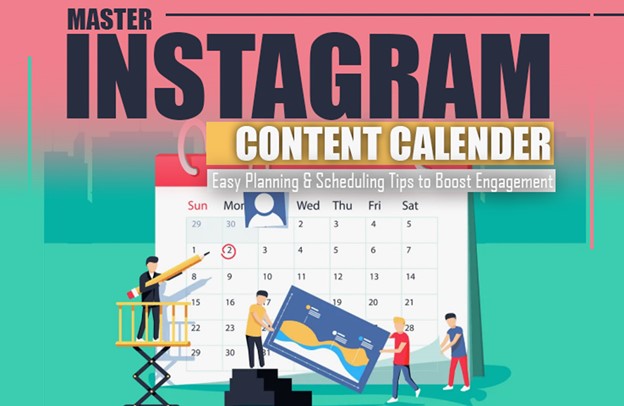
Creating a well-structured Instagram content calendar can seem overwhelming at first, but breaking it down into manageable steps can simplify the process.
Follow these easy steps to build an efficient content calendar for Instagram that aligns with your brand’s goals and engages your audience:
1. Define Your Content Objectives
What are you hoping to accomplish when you post on Instagram? Do you want more people to follow you, visit your website, or know about your brand? Your objectives might influence the sort of content you produce. So, defining the content objectives is the first fact you should know to create an effective Instagram content calendar.
- Increase follower engagement by 20% over the next three months through interactive content like polls, quizzes, and user-generated posts.
2. Determine Who You’re Talking To
Precisely, who are you posting this for? You can maximize the effect of your Instagram content calendar by understanding their preferences, behavior, and peak activity hours.
- Target Audience: Millennials and Gen Z users interested in fitness and wellness.
- Peak Activity Hours: Evenings and weekends.
3. Establish Content Ideas
When it comes to the Instagram content calendar, if you want your Instagram feed to stand out and be more organized, try creating posts around specific topics. Create a steady stream of content that reflects your brand’s values by presenting new topics on a daily or weekly basis.
- Motivation Mondays: On Mondays, share stories or phrases that inspire you.
- Tutorial Tuesdays: Put up tutorials or advice on how to do things every Tuesday.
- Throwback Thursdays: Relive some memories from the past on Throwback Thursdays.
- Feature Fridays: On Feature Fridays, we showcase user-created content or a product that our readers really love.
4. Choose the Post Frequency
The secret of the content calendar on Instagram is to focus on quality rather than quantity, even if it’s tempting to update daily. Aim for three to five postings per week, at the very least. Establish and maintain a routine that suits you.
- Mondays, Wednesdays, and Fridays for main feed posts.
- Tuesdays and Thursdays for Stories or Reels.
5. Create a Visual Content Calendar
If you want a visual representation of your Instagram content schedule, you can use applications like Later and Planoly or even Google Calendar and Trello. Specify the date, kind of content, captions, and hashtags for each post. Staying organized and covering all relevant subject topics is much easier with this.
- January Week 1:
- Monday: Motivation Quote (Image Post)
- Wednesday: Tutorial (Carousel Post)
- Friday: Feature Friday (User-Generated Content)
6. Batch Create Your Content
In order to read the content calendar on Instagram, make sure you block out time every week to develop the content in bulk. Get your photos ready, captions written, and hashtags researched all at once. In the end, this will help you save time and free up your week for involvement and other activities.
- Sunday: Write captions and create visuals for all posts scheduled for the upcoming week.
7. Schedule and Automate Your Posts
The seventh and last part of the Instagram content calendar is scheduling and automating the posts. To automate your postings, use a scheduling application such as Later, Buffer, or Hootsuite. When you’re ready to publish, just add your content, captions, and hashtags to the scheduler. Then, choose when you want it to go live. With automation, you can maintain consistency even while you’re not at your desk.
- Monday: Schedule all posts for the week Later.
- Set reminders for any posts requiring manual interaction, such as Instagram Stories.
In addition to streamlining your publishing routine, this Instagram content schedule will produce substantial interaction and growth if you follow the guidelines below.
Simple Tricks for Instagram Calendar That Actually Work!
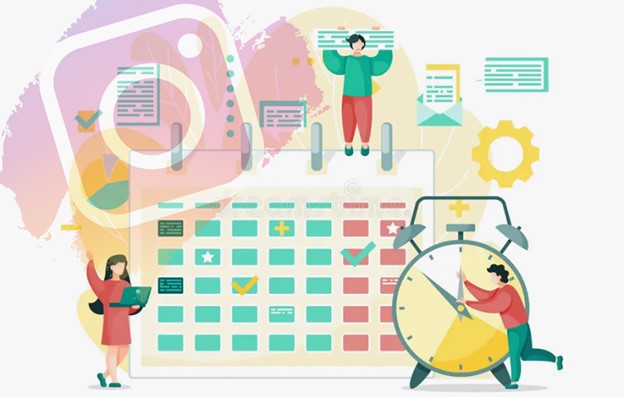
Content calendar on Instagram doesn’t need to be difficult, and with a few pointers, it can be much more straightforward. To start, you can plan posts for times when your audience is most engaged by using Instagram Insights to see when they are most active.
Instagram Stories and Reels are great ways to increase the exposure and engagement of your content. If you want to spice up your content, instead of just posting photos, try using carousels, videos, and interactive features like polls or quizzes.
Finally, to keep performing at your best, check your calendar on a frequent basis, making adjustments based on what you find to be working.
Conclusion
Incorporating an Instagram content calendar into your social media strategy can transform the way you engage with your audience.
By planning and scheduling posts in advance, you’ll not only save time but also ensure you’re delivering high-quality content that resonates with your followers. Ready to level up your Instagram game? Start by downloading the free Instagram Content Calendar template and get ahead of the competition!”
Finally, share your experiences about mastering Instagram planning and scheduling the Instagram content calendar below and let us know if you have any additional tips or questions!