
Imagine scrolling through your Instagram feed, completely controlling your online presence. You share moments with friends and family, engage with your favorite content, and explore new interests while maintaining a sense of privacy and security.
Managing who can see your followers on Instagram has become essential to curating your social media experience.
Whether you’re looking to keep your follower list private from prying eyes or want to enjoy a more intimate connection with your close circle, understanding how to hide your followers on Instagram can empower you to take charge of your digital footprint.
This guide will discuss the latest 2024 updates, offering practical tips for private and public accounts. Ready to unlock the secrets of a more secure and enjoyable social media journey?
Let’s get started!
Understanding the Instagram Privacy Settings Process
First, let’s address a question on your mind: Will my followers notice they have been hidden? The answer is that they will not receive any notifications about this. However, if they check your account, they can see the change.
Instagram’s privacy settings are designed to give you complete control over your account. From deciding who can follow you to managing who sees your posts and stories, these settings are your gateway to a more secure online presence. But why is privacy so important on Instagram?
Privacy on Instagram isn’t just about keeping your personal information safe; it’s about creating a space where you feel comfortable sharing your life.
Whether you’re a simple user or a social media influencer, having control over your privacy can reduce anxiety, protect you from unwanted interactions, and allow you to engage more authentically with your audience.
Now it’s time to find the answer: how can I hide followers on Instagram? Find out more in the next part.
Hiding Followers on Instagram for a Private Account
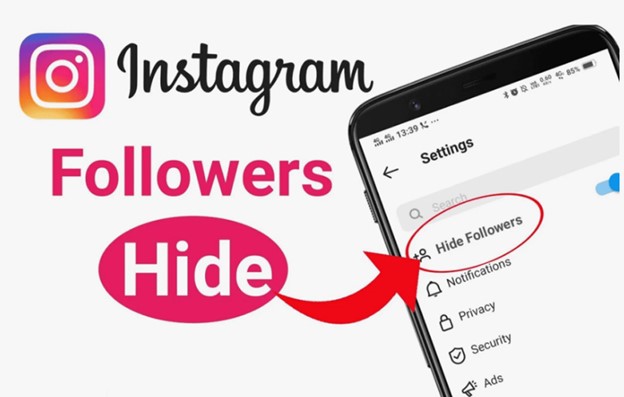
Maintaining privacy on Instagram is essential for creating a comfortable and secure online space.
If you want to hide your followers on a private account, here are some user-friendly steps to help you achieve that.
Following the following steps, you can effectively manage who sees your followers on Instagram, ensuring a more private and controlled social media experience.
Ready to take control of your Instagram privacy? Let’s get started!
✓ Steps to Switching to a Private Account
- Open Instagram: Open Instagram on your device.
- Go to Your Profile: Tap on the profile picture.
- Access Settings: Tap the three lines in the top right corner and select “Settings.”
- Privacy Settings: Navigate to “Privacy” and then “Account Privacy.”
- Enable Private Account: Toggle the switch to make your account private.
Only your accepted followers can see your posts, stories, and follower list when your account is private. This means that anyone who isn’t following you cannot see your followers on Instagram.
✓ Removing Followers
- Go to Your Followers List: Open your profile and tap on “Followers.”
- Find the Follower: Scroll through the list or use the search bar.
- Remove Follower: Tap the three dots next to their name and select “Remove.”
Removing a follower means they will no longer see your posts or stories. They won’t be notified that they’ve been removed but will notice if they check your profile and see they are no longer following you.
✓ Steps to Using the Restrict Feature
- Go to the User’s Profile: Navigate to the user profile you want to restrict.
- Access Options: Tap the three dots in the top right corner.
- Select Restrict: Choose “Restrict” from the menu.
In the following paragraphs, shift to How Can I Hide Followers on Instagram for a Public Account? Don’t miss out on these valuable insights—keep reading to take complete control of your Instagram privacy!
Hiding Followers on Instagram for a Public Account
Navigating privacy on a public Instagram account can be tricky. However, with the right tools and strategies, you can still maintain control over who sees your followers.
Here’s a user-friendly guide to help you manage your follower visibility on a public account on Instagram.
Ready to take control of your Instagram experience?
✓ Steps to Using the Restrict Feature
- Visit the User’s Profile: Open Instagram to the user profile you want to restrict.
- Access Options: Select “Profile” from the menu that appears (three dots on the upper right).
- Select Restrict: Locate the “Restrict” option and choose it.
When you restrict a user on Instagram, they can still see your posts and stories, but their comments will only be visible to them. They won’t know when you’re online or if you’ve read their messages. This helps you manage interactions without completely blocking them.
✓ Steps to Block Users
When you block someone on Instagram, they won’t be able to find your account, which provides a strong layer of privacy.
- Go to the User’s Profile: Find the profile of the user whose access you want to restrict.
- Access Options: Choose the menu option (three dots) in the upper right.
- Select Block: Press the “Block”
Limitations of Public Accounts
Your follower list is generally visible to anyone who visits your profile on a public account, making it challenging to hide your followers from the public eye completely.
Even with restrictions and blocks, maintaining complete privacy can be difficult as public accounts are designed for broader visibility and engagement.
Conclusion
As you know, maintaining control over your online presence on Instagram is more important than ever. Whether you have a private or public Instagram account, understanding how to manage your follower visibility can significantly enhance your social media experience, as we talked about them thoroughly.
Ultimately, the key to a secure and enjoyable Instagram experience is understanding and effectively using the platform’s privacy settings.
So, are you ready to take control of your Instagram privacy and learn how to hide followers on Instagram? Your feedback is much appreciated. If you have any, please join our community and tell us about them.