
Is it frustrating that even when you earn new Instagram followers, your follower count stays the same?
A lot of people have experienced the same thing—their Instagram follower count doesn’t update correctly.
A stagnant follower count can be perplexing and annoying, whether you’re monitoring growth for personal enjoyment or company statistics.
To help you get your follower count back on track, this tutorial will reveal the most prevalent causes of this error and provide practical remedies.
Put your fears to rest and be ready to tackle your follower count concerns confidently!
Just be with us and jump into the discoveries about Instagram Follower Count Not Updating!
What is an Instagram follower?
One of the best ways to increase your social media impact and exposure is to get more followers on Instagram.
People who follow you are more than just a statistic; they are actual individuals who are interested in what you have to say, whether it’s about building your brand, expanding your company, or becoming involved in your community.
Genuinely connecting with your audience, producing high-quality content, and making good use of hashtags are the three pillars around which to build a faithful following.
The idea is to build a dedicated following of people who like reading your postings and who contribute to the lively discussion happening on the site.
Why is the Instagram follower count not updating? (Common Reasons)
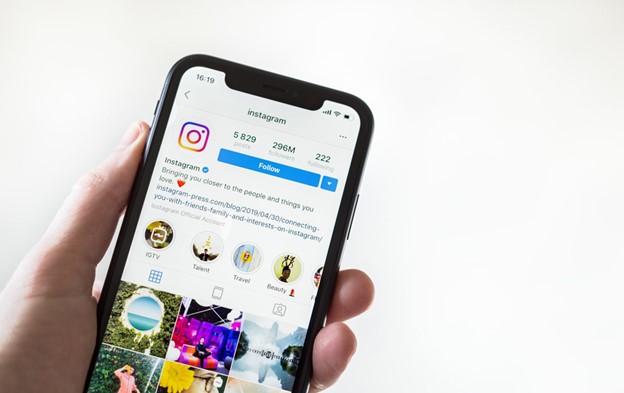
Listed below are the most prevalent reasons why your Instagram follower count could not be updated:
1. Account Restrictions or Issues
You cannot see changes to your follower count if your account is under limitations or has been reported for suspicious conduct.
See whether Instagram has notified you about any problems with your account. This is the first reason why the Instagram follower count is not updating.
2. Changes in Follower Count from Deactivations
In the second step, when it comes to the Instagram follower count updating issue, changes in follower count from deactivations are talked about.
Inactive or fraudulent accounts are removed from Instagram at regular intervals. Your unexpected decline in followers may be a result of Instagram’s efforts to keep its user base active and clean.
3. Temporary Glitches & Bugs
Instagram sometimes encounters difficulties or faults that could delay the update of follower numbers. Just be patient; these problems usually go away after a while on their own.
4. Server-Side Issues
In the fourth step, the server-side issue is the reason for the Instagram follower count not updating. The servers that power Instagram process massive amounts of data, and every once in a while, problems on their end might slow down the update speed of follower numbers. In most cases, this is a glitch with Instagram’s infrastructure that their staff fixes quickly.
5. App or Browser Cache
Your app or browser’s cache can make out-of-date content show up from time to time. To fix the problem where your follower count doesn’t update, try deleting the cache of your app or restarting your browser.
6. User Activity Delays
Instagram can postpone updating follower numbers in order to avoid spam and guarantee data accuracy, which might cause delays in user activity. It may take a little while for your count to reflect a follower’s decision to follow or unfollow you.
Fixing the issue where the Instagram follower count doesn’t refresh
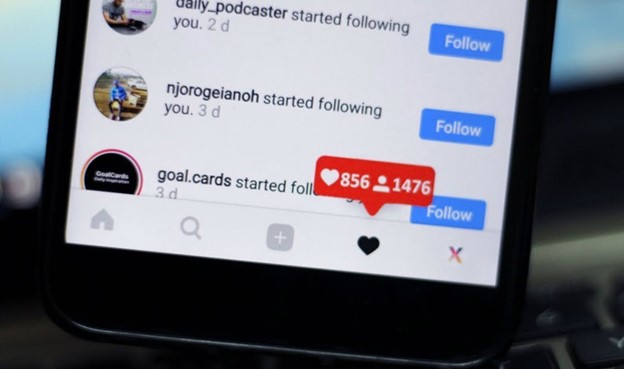
If the number of followers on your Instagram account does not seem to be updating, there are a few different measures you can take to fix the problem:
· Clear Cache
If you’re using the Instagram app, you can delete its cache by navigating to your device’s settings and then finding Instagram.
Users of browsers should remove all cookies and cache from their browsers.
By doing so, you can get rid of any old data that could be triggering display problems, and the Instagram follower count updating problem can be solved.
· the App Restart
In order to fix the Instagram follower count updating issue, the first step is restarting the app. To restart the app, first close Instagram and then open it again.
If you’re experiencing temporary issues with your following count, try this easy step.
· Check for Instagram Outages
To find out whether Instagram is experiencing any technical difficulties that might be influencing the number of followers, you can visit some websites or check the app’s official social media channels.
· Update the App
In the next step, the method you can use to solve the Instagram follower count is not updating. It is suggested that you check the app version.
Make sure you’re using the most recent version of Instagram by updating the app. Bugs or concerns with older applications could prevent them from accurately updating follower counts.
You may update the app by going to the app store on your smartphone.
· Log Out & Log Back In
In the case of Instagram follower count updating errors, sometimes, if you’re seeing an inaccurate follower count or other display problems on Instagram, logging out and back in could fix the problem.
· Be patient
It may take some time for Instagram’s systems to catch up, so please be patient if the Instagram follower count updating problem persists after that.
· Get in touch with Instagram.
Make contact with Instagram’s support staff if the methods above fail. Please give them the specifics of the problem so they can help you fix it.
In many cases, you will be able to handle difficulties with your Instagram follower count not updating and ensuring that your analytics are correct if you follow these procedures.
What are the adverse effects of Instagram follower count not updating?
Several undesirable outcomes could occur when Instagram follower numbers do not update.
- For starters, it may make it harder to see how well your content and interaction tactics are doing in the here and now, which would make it hard to make necessary adjustments.
- Secondly, if your follower count remains flat, it might make you feel like your hard work is going nowhere. This can have a negative effect on your drive and confidence.
- In addition, if you’re trying to use Instagram for influence or business, having erroneous follower stats might throw off your performance analysis and make you seem bad to sponsors and partners.
- Finally, these inconsistencies might influence how users perceive your online presence and the credibility of your follower count.
Conclusion
Finally, your social media plan can be wreaked havoc by an Instagram follower count that refuses to budge, which in turn affects your reputation, motivation, and performance metrics.
If you want reliable insights and to keep your online presence strong, you must resolve and comprehend the causes of these differences. Always be one step ahead of the game by keeping tabs on your stats and making course corrections as necessary.
For personalized guidance and assistance, contact our professional team if you are having trouble increasing your follower count or would want to improve your Instagram approach.
Take charge of your Instagram career right now, and stop letting a low follower count hold you back!
Lastly, please share your thoughts on the topic of Instagram Follower Count Not Updating.
Can you address the extra method that we overlooked?